Examples of summative and formative assessment supported by artificial intelligence tools and systems
10. Example for the Mizou artificial intelligence tool
Mizou is a digital tool powered by artificial intelligence that enables teachers to design interactive teaching activities and monitor student progress during e-learning. It integrates AI elements for learning support, critical thinking development, and formative assessment. The tool allows teachers to define learning outcomes, input teaching content, and automatically generate activities such as an AI Chatbot or an AI Debate, which promote active and reflective learning.
Mizou is free for teachers and, thanks to its intuitive structure, is suitable for use in higher education.
What this means for the instructor:
- Monitoring student progress in real time
- Receiving personalised guidelines for further instruction
- Incorporating AI activities that foster reflection and critical thinking
- More effective planning of formative activities based on students’ actual needs
Example of application:
An instructor wants to monitor student progress during an e-course and receive personalised recommendations for teaching activities. The goal is to identify in real time which parts of the material are most challenging for students and adapt subsequent activities accordingly.
Procedure:
In Mizou, the instructor begins by selecting or creating an AI chatbot for a specific topic, such as "Debate on Artificial Intelligence in Education," and can access existing sessions and their status (Figure 1). In the editing interface, the instructor enters the activity name and basic instructions describing the chatbot’s role and the expected mode of communication with students (Figure 2).
Next, the instructor defines the learning outcome, selects the education level, and activity type. Based on the entered goals, the Mizou AI tool suggests different types of AI chatbots (quiz, discussion, essay, etc.), which the teacher can generate and customise (Figure 3). When the activity is ready, the tool automatically generates a link and QR code to share with students for access (Figure 4).
During the activity, such as an AI debate, the interface displays the conversation flow between the student and the chatbot, with the chatbot asking introductory questions and encouraging argumentative discussion (Figure 5). After students complete the activity, Mizou provides an overview of participants, activity duration, submission status, and a suggested grade based on AI analysis of the responses (Figure 6).
In addition to creating their own activities, teachers can review and try AI chatbots developed by the educator community and customise them as needed (Figure 7). Additional support is available through the Mizou AI Academy, which offers structured programs and certification modules to develop teachers’ competencies in pedagogical applications of AI (Figure 8).
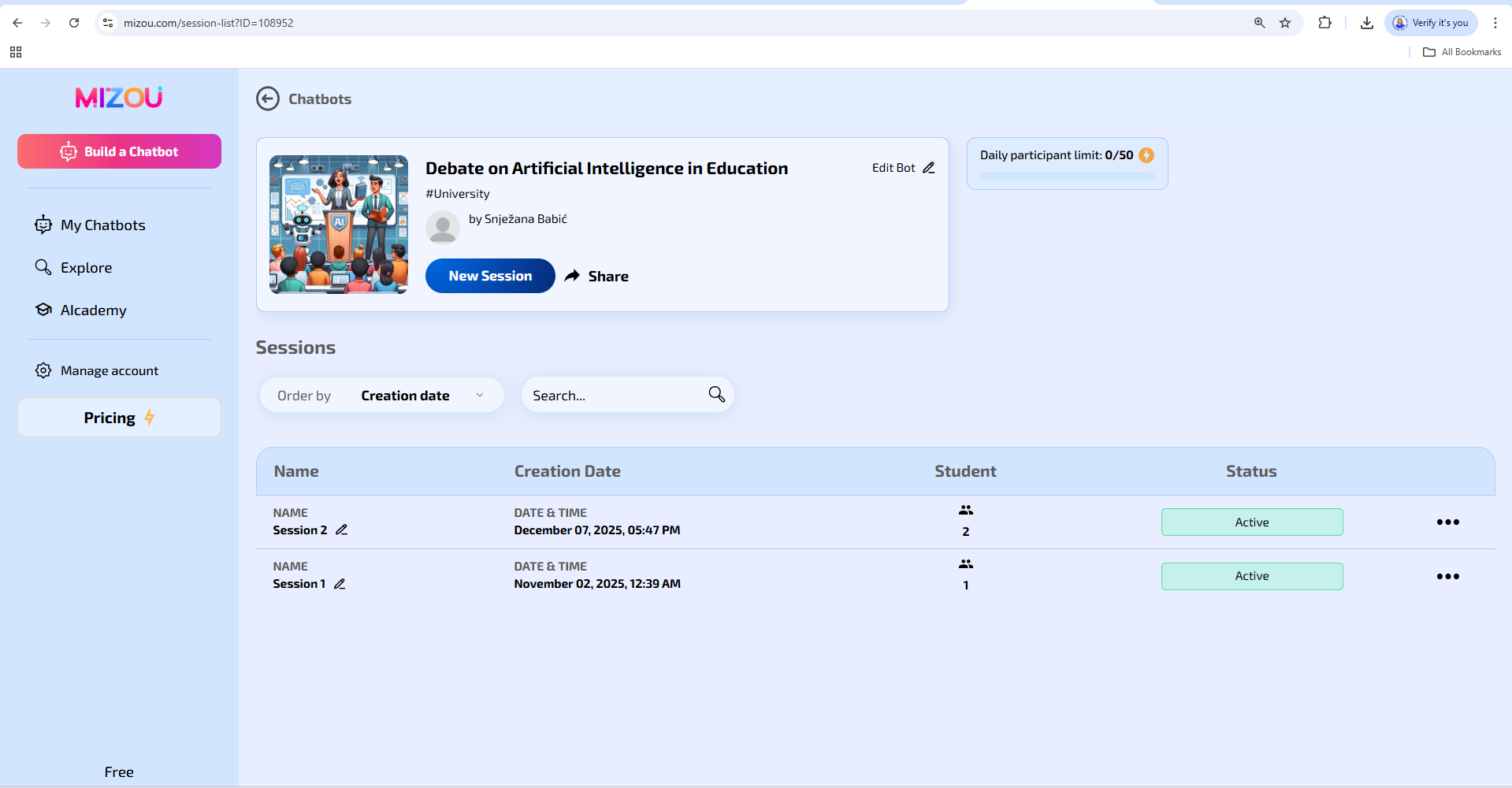
Figure 1. Overview of the created AI chatbot "Debate on artificial intelligence in education" and related sessions in the Mizou tool
(Source: screenshot by the author, 2025)
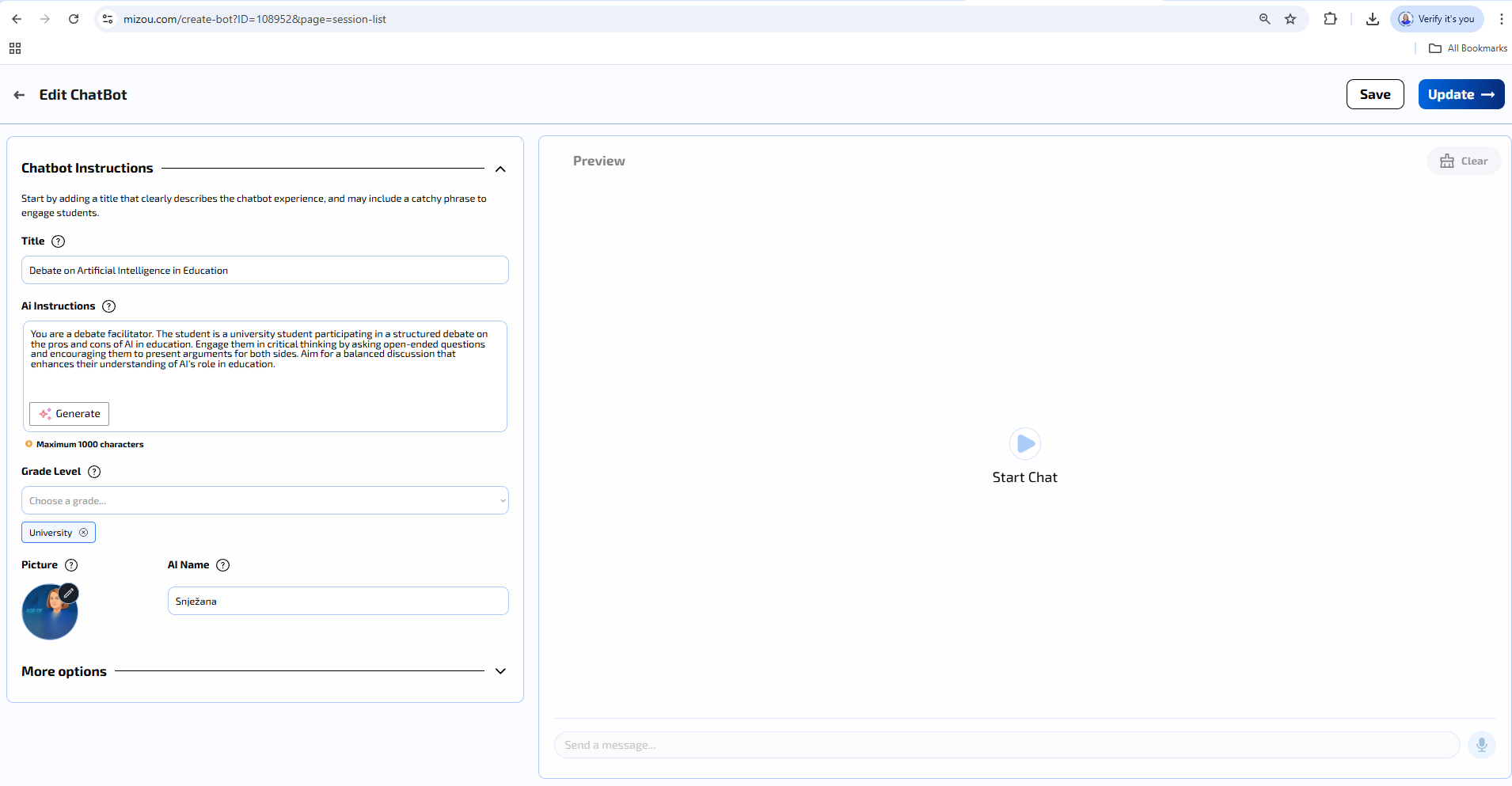
Figure 2. AI chatbot editing interface in Mizou with activity title and chatbot instructions input
(Source: screenshot by the author, 2025)
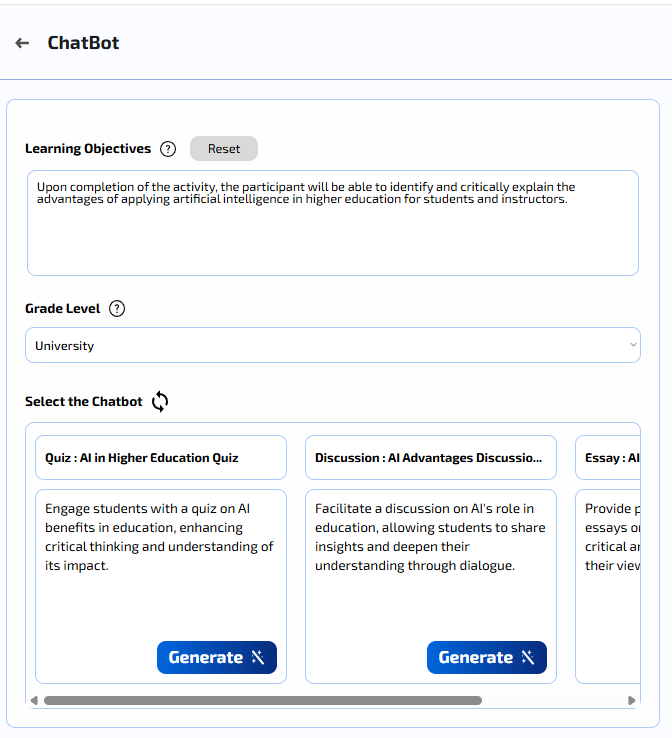
Figure 3. Defining learning outcomes, education level, and selecting an AI chatbot template (quiz, discussion, essay) in Mizou
(Source: screenshot by the author, 2025)
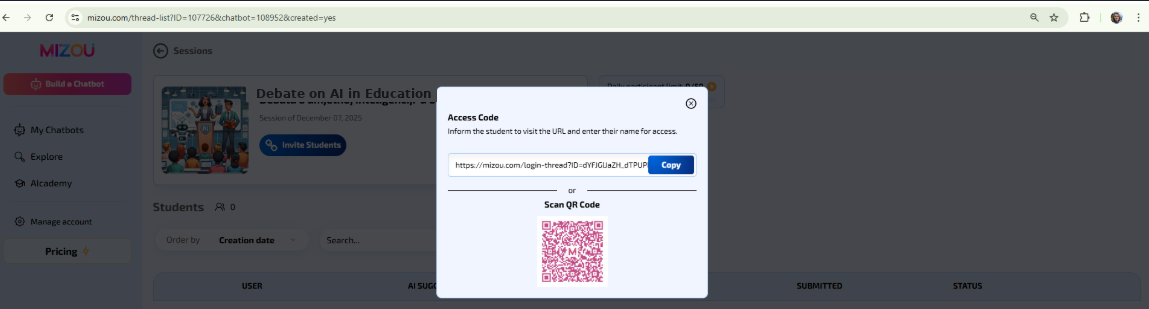
Figure 4. Link and QR code generation to access the activity in the Mizou tool
(Source: screenshot by the author, 2025)
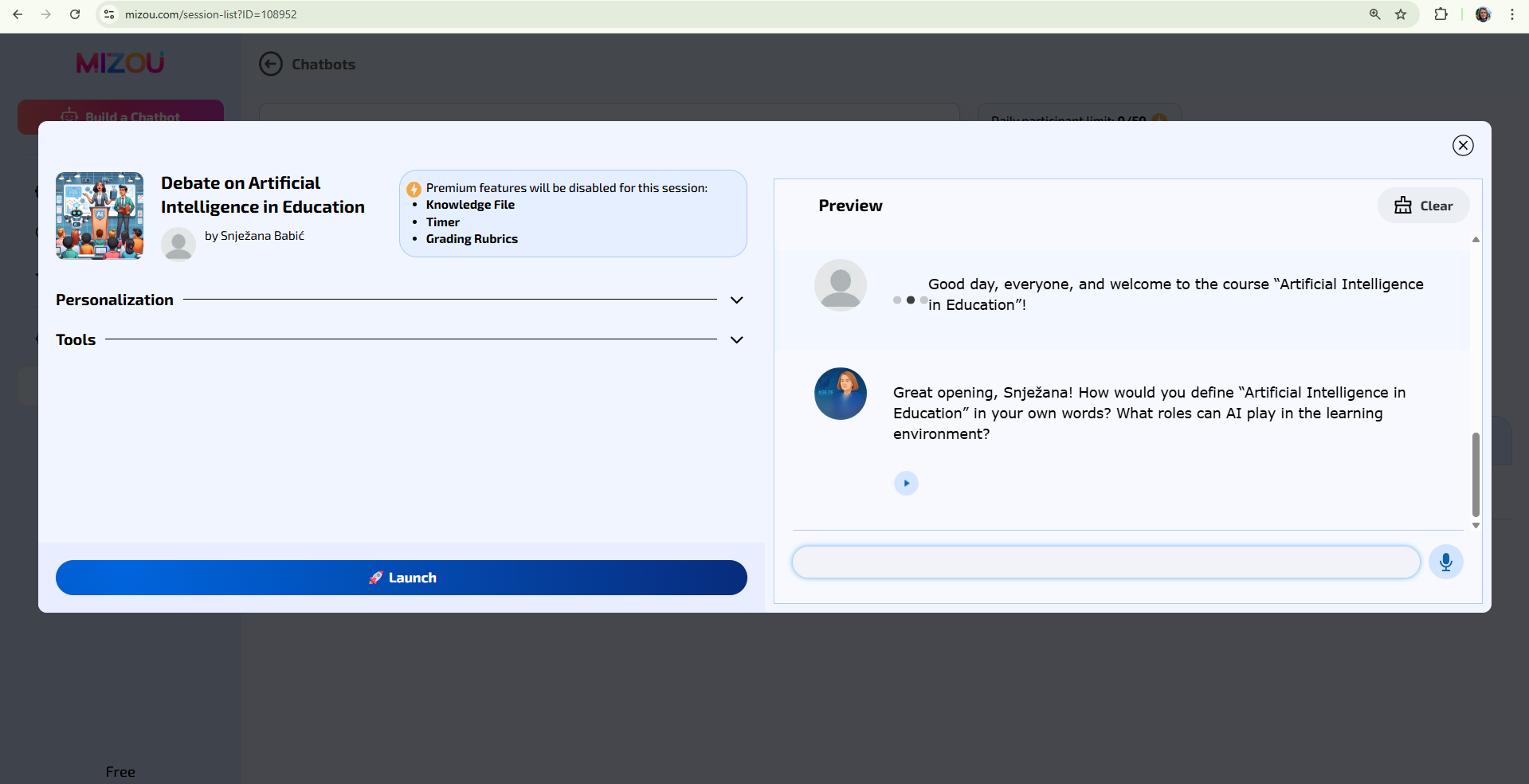
Figure 5. AI debate display in Mizou with a chatbot introduction message and space for student response
(Source: screenshot by author, 2025)
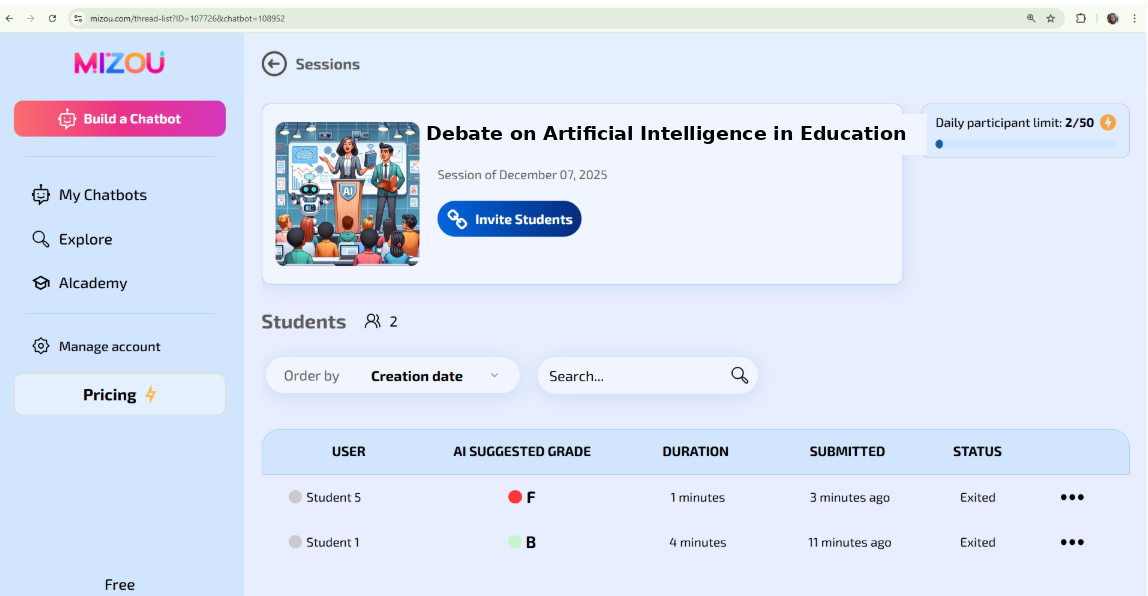
Figure 6. Session overview in the Mizou tool with a list of students, proposed AI grade, activity duration, and submission status
(Source: screenshot by the author, 2025; ChatGPT)
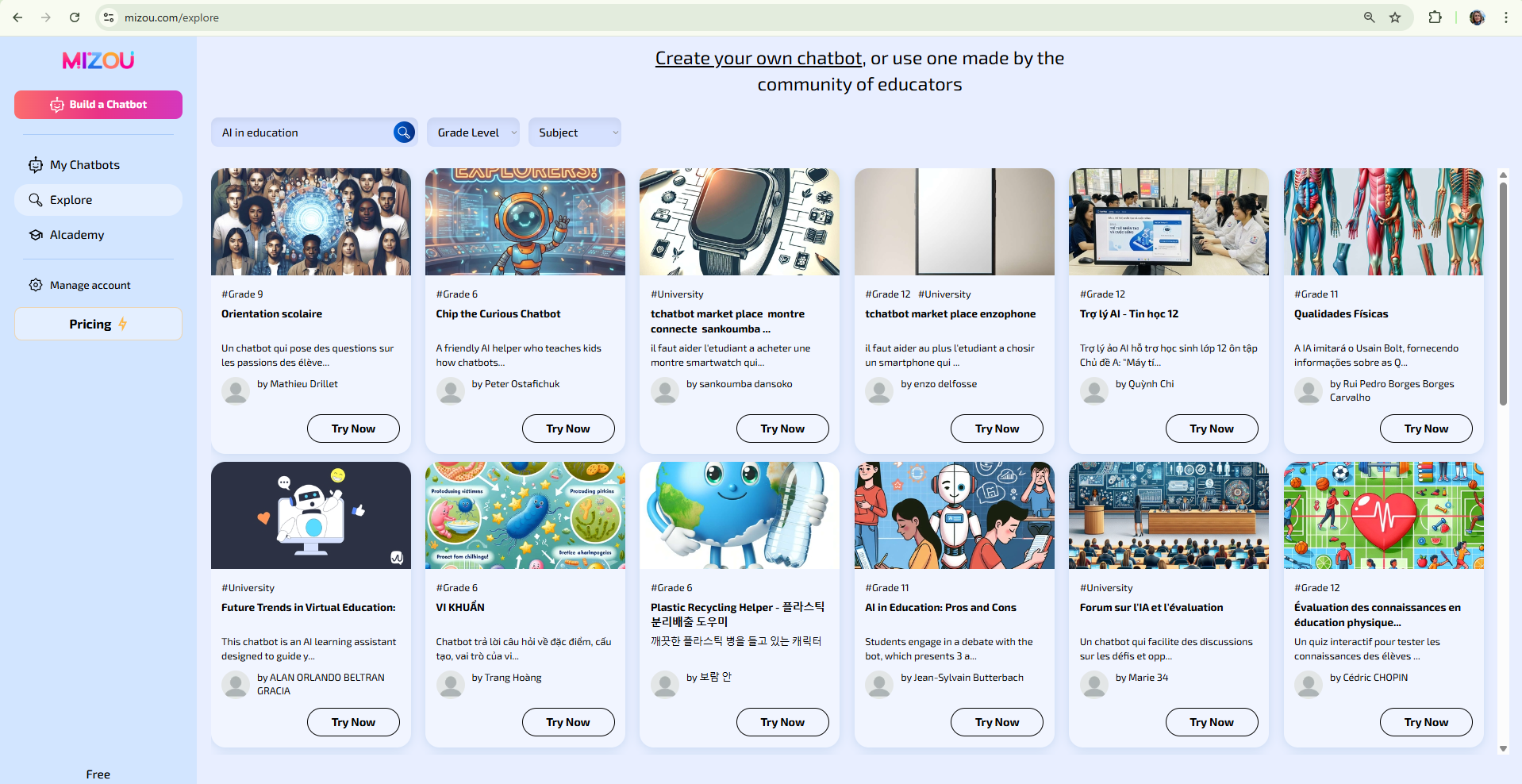
Figure 7. Overview of available AI chatbots and activities created by the teacher community in the Mizou tool
(Source: screenshot by the author, 2025)
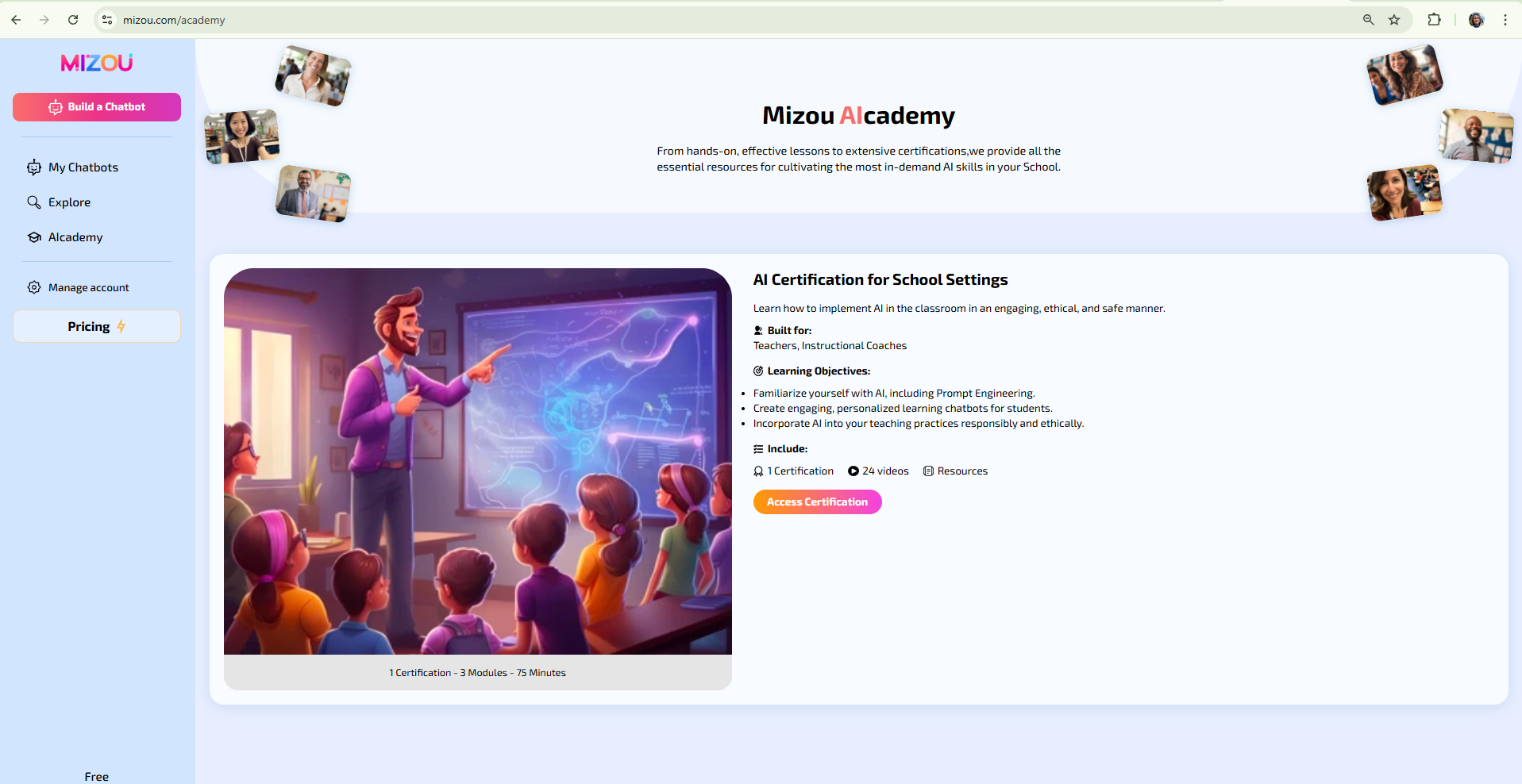
Figure 8. Mizou AI Academy interface view with an example of a teacher certification program
(Source: screenshot by the author, 2025)
Background Colour
Font Face
Font Size
Text Colour
Font Kerning
Image Visibility
Letter Spacing
Line Height
Link Highlight
Paragraph Width
Text Alignment