Examples of summative and formative assessment supported by artificial intelligence tools and systems
12. Example of integrating artificial intelligence tools and systems for formative and summative assessment
In modern higher education, artificial intelligence is increasingly used to support various forms of knowledge assessment. Artificial intelligence tools and systems allow teachers to automate technical tasks, generate questions at higher cognitive levels, conduct more objective assessments, and analyse results in greater depth.
Below are four examples of digital tools based on artificial intelligence used in formative and summative assessment, with emphasis on pedagogical purpose, application method, and student privacy protection.
QuestionWell and the Moodle e-learning system – summative (and formative) knowledge assessment
A course instructor uses QuestionWell to create a final exam that assesses the achievement of learning outcomes. After logging into the QuestionWell platform, the instructor enters a summary of the course unit (Figure 1), and the tool automatically generates a set of questions of various types and levels of complexity according to Bloom's Taxonomy (Figure 2). The questions are edited in the QuestionWell tool, then the test is exported in the Moodle-compatible GIFT format and imported into the institutional Moodle system, where points are assigned to individual questions, and the exam design is finalised (Figure 3–5).
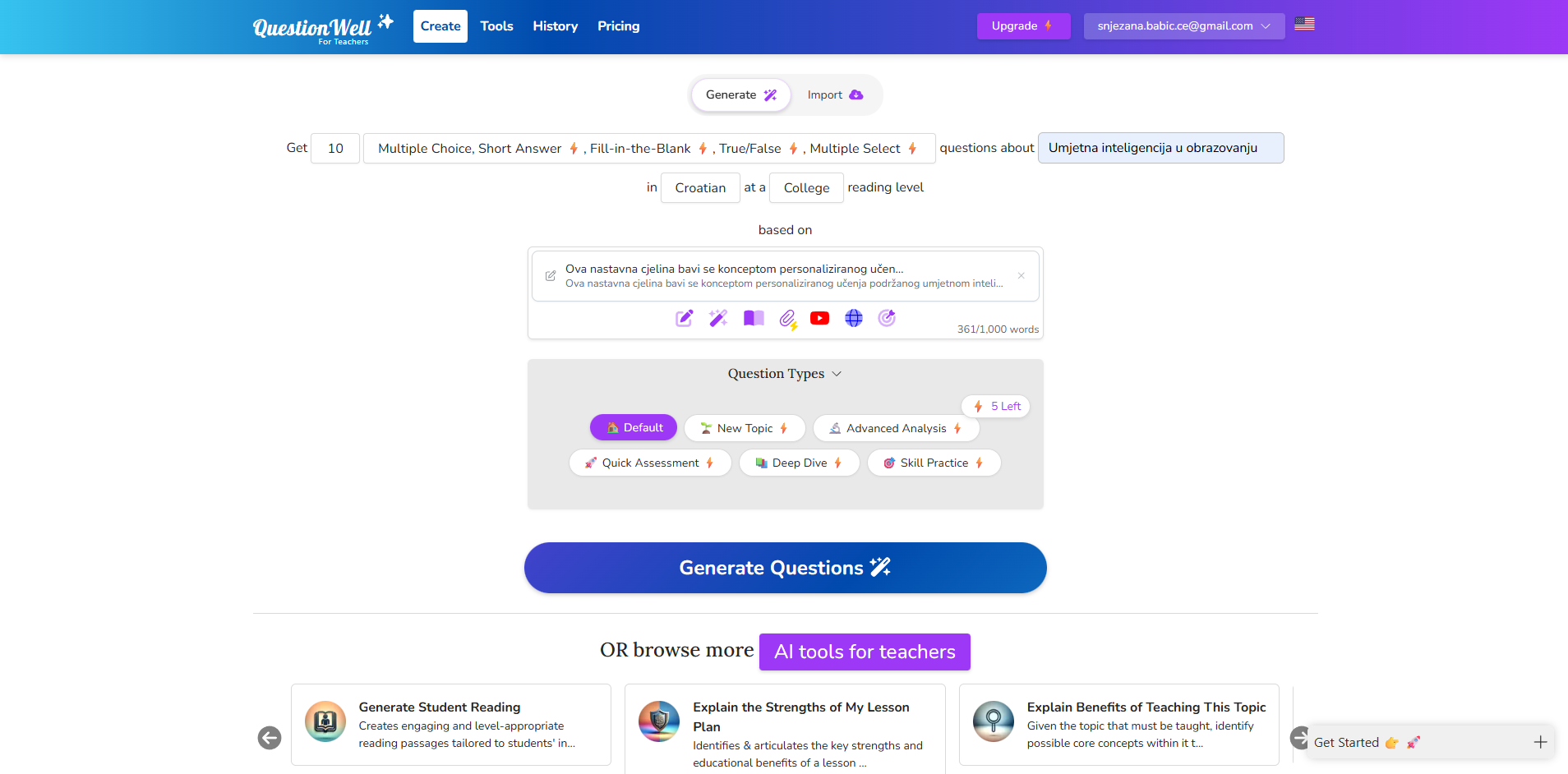
Figure 1. QuestionWell tool interface when entering a course summary (Source: author, screenshot of the QuestionWell tool, 2025)
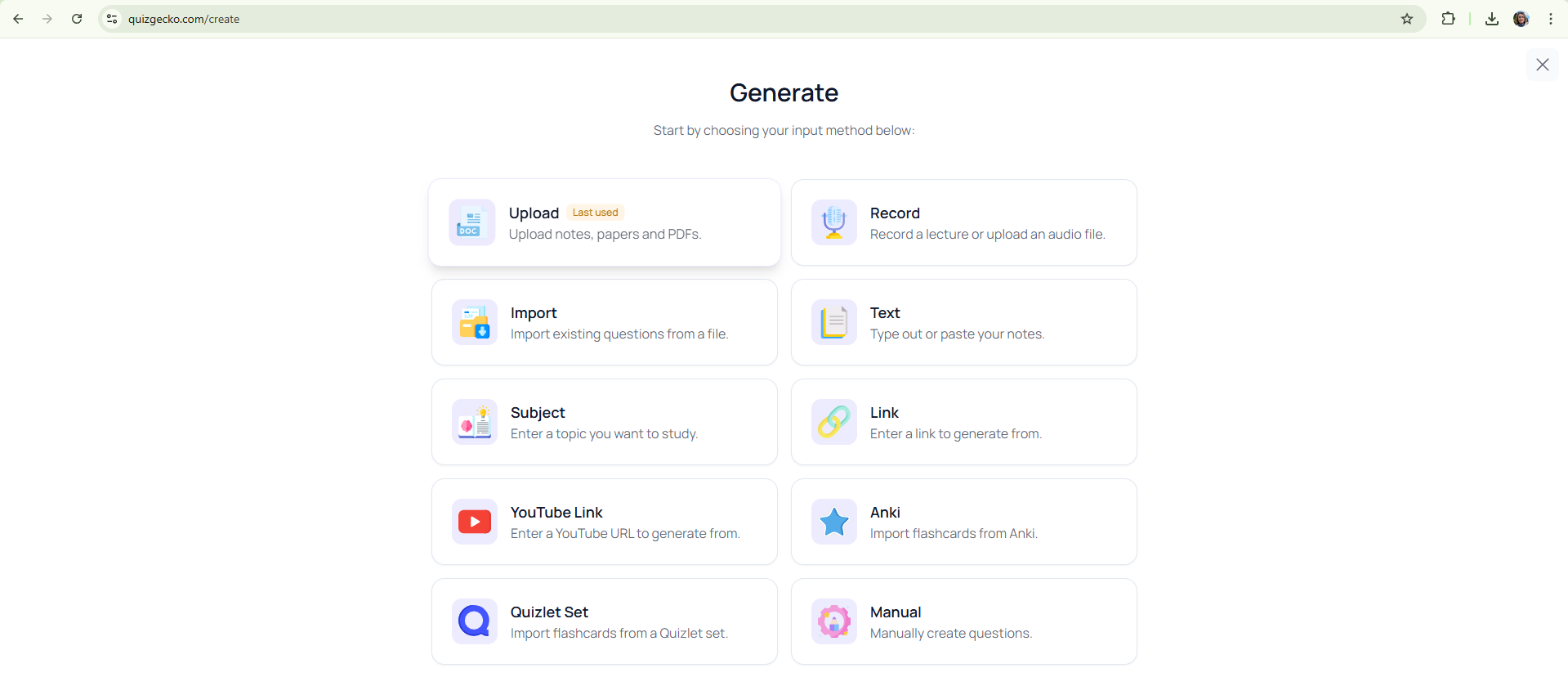
Figure 2. QuestionWell tool interface with automatically generated questions based on the course unit summary (Source: author, screenshot of the QuestionWell tool, 2025)
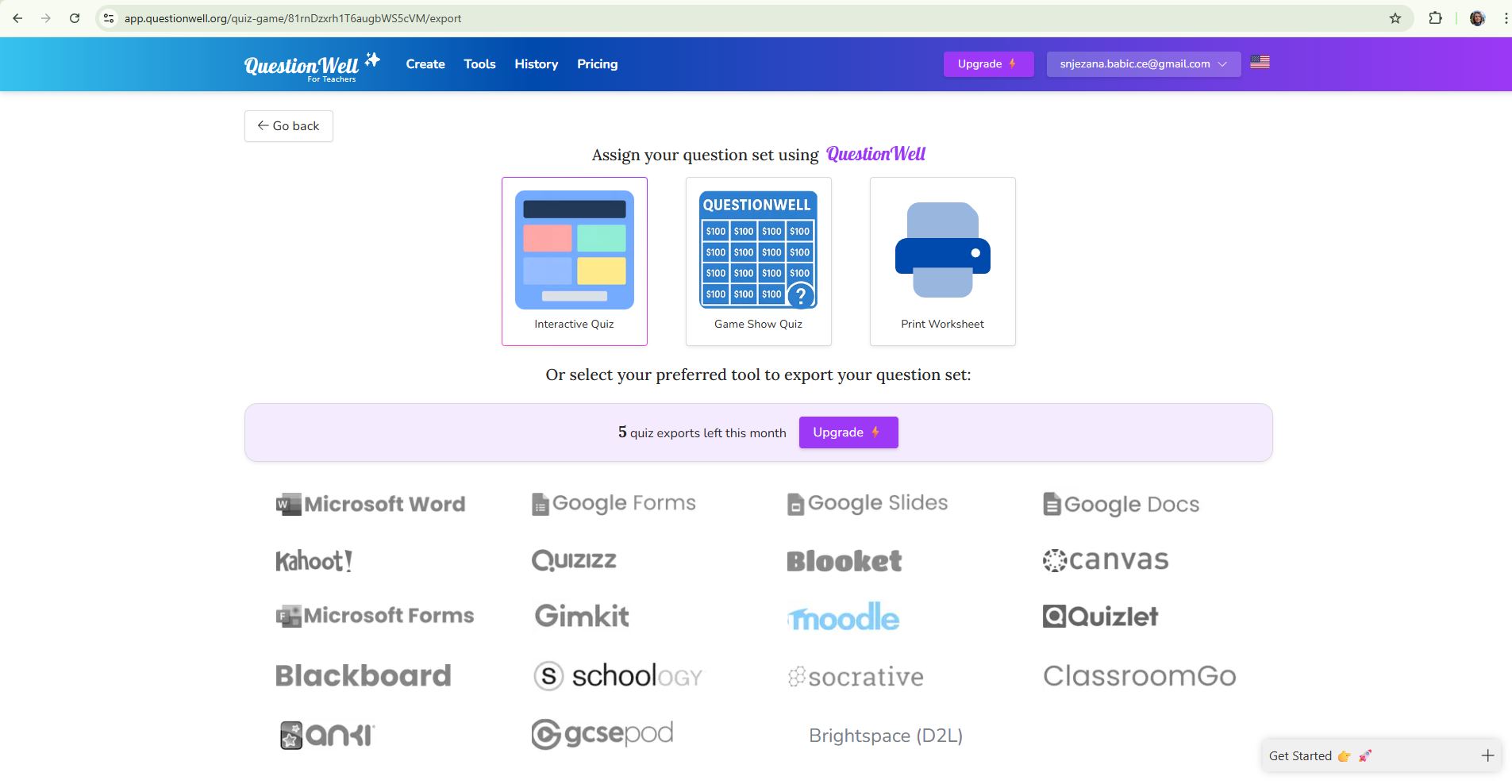
Figure 3. QuestionWell tool interface when editing and selecting generated questions (Source: author, screenshot of the QuestionWell tool, 2025)
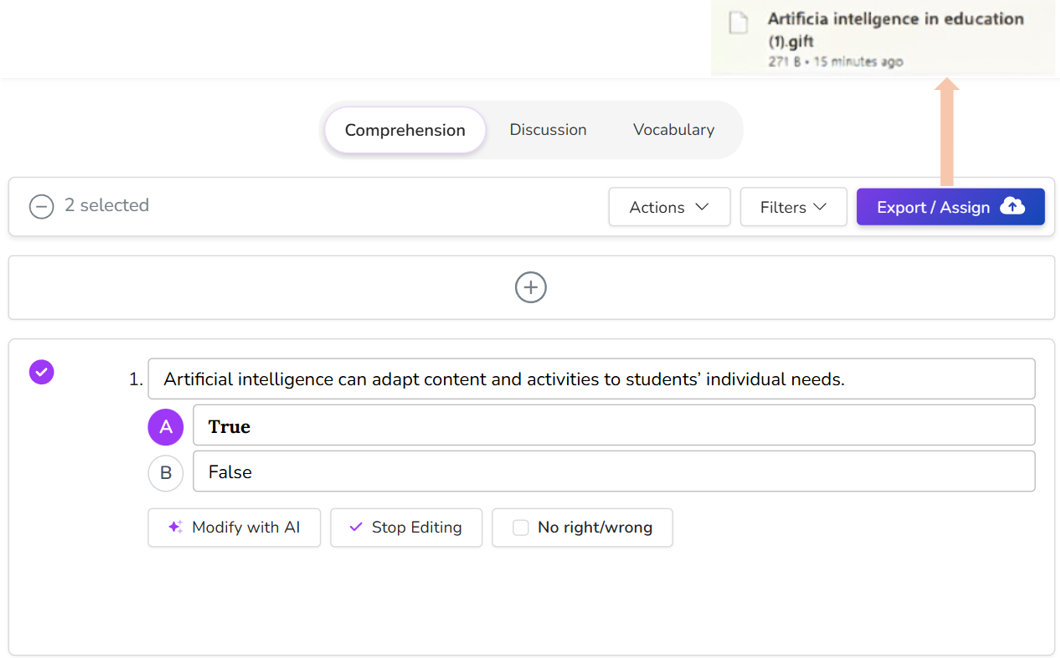
Figure 4. QuestionWell tool interface when exporting a test in Moodle-compatible GIFT format (Source: author, screenshot of the QuestionWell tool, 2025)
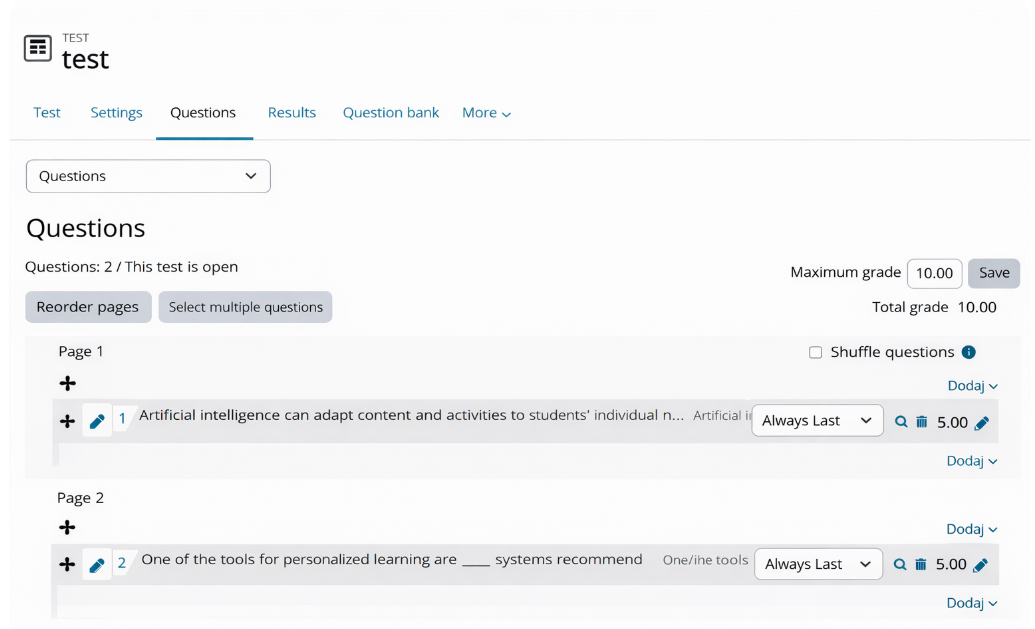
Figure 5. Moodle interface when importing a GIFT file into the question database (Source: author, screenshot of Moodle/Merlin (Srce), ChatGPT, 2025)
Moodle is the primary e-learning system at a higher education institution, integrated with the ISVU system, which enables monitoring of student activities and achievements within the official framework. This integration ensures transparency, security, and protection of student privacy, as all results are stored within institutional infrastructure compliant with data protection regulations (GDPR). Upon completion of the exam, Moodle automatically generates a performance analysis by question and by student, allowing the teacher to reflect on teaching quality and plan improvements.
Advantages: standardised evaluation, automated grading, data security, and integration with institutional systems.
2. QuestionWell and Google Forms – formative or summative evaluation
Another approach involves combining QuestionWell and Google Forms, which enables quick preparation of quizzes and flexible implementation of online knowledge assessments. The instructor enters educational content into QuestionWell (Figure 1–2), and the tool generates questions that are exported to Google Forms with one click (Figure 6). In Google Forms, the teacher edits the test layout, adds scoring, and activates automatic feedback.
Students access the test via a link or QR code and receive feedback immediately after submission. Results are collected in Google Sheets, where they are available in real time and can be visually analysed. If institutional regulations permit, Google Forms can also be used for summative assessment while adhering to data protection and student identity regulations.
Advantages: easy creation and sharing of tests, automatic analysis of results, possibility of formative and summative use, accessibility without LMS integration.
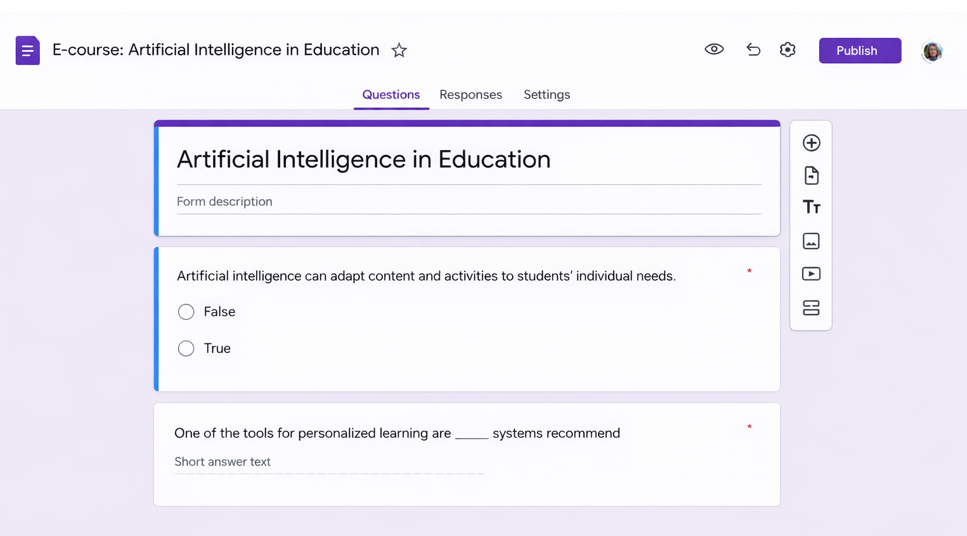
Figure 6. View of the downloaded GIFT file of a test generated in the QuestionWell tool uploaded to a Google Form (Source: author, screenshot of Google Forms, 2025)
3. Integration of Gradescope and Moodle – advanced summative and formative evaluation and analytics
Gradescope (Figure 7) is a tool for digital grading of written, scanned, and programmatic assignments that enables advanced summative assessment at the higher education level. When integrated with the institutional Moodle system, it provides teachers with a comprehensive and secure framework for administering exams, grading, and analysing results, with full automation of the process.
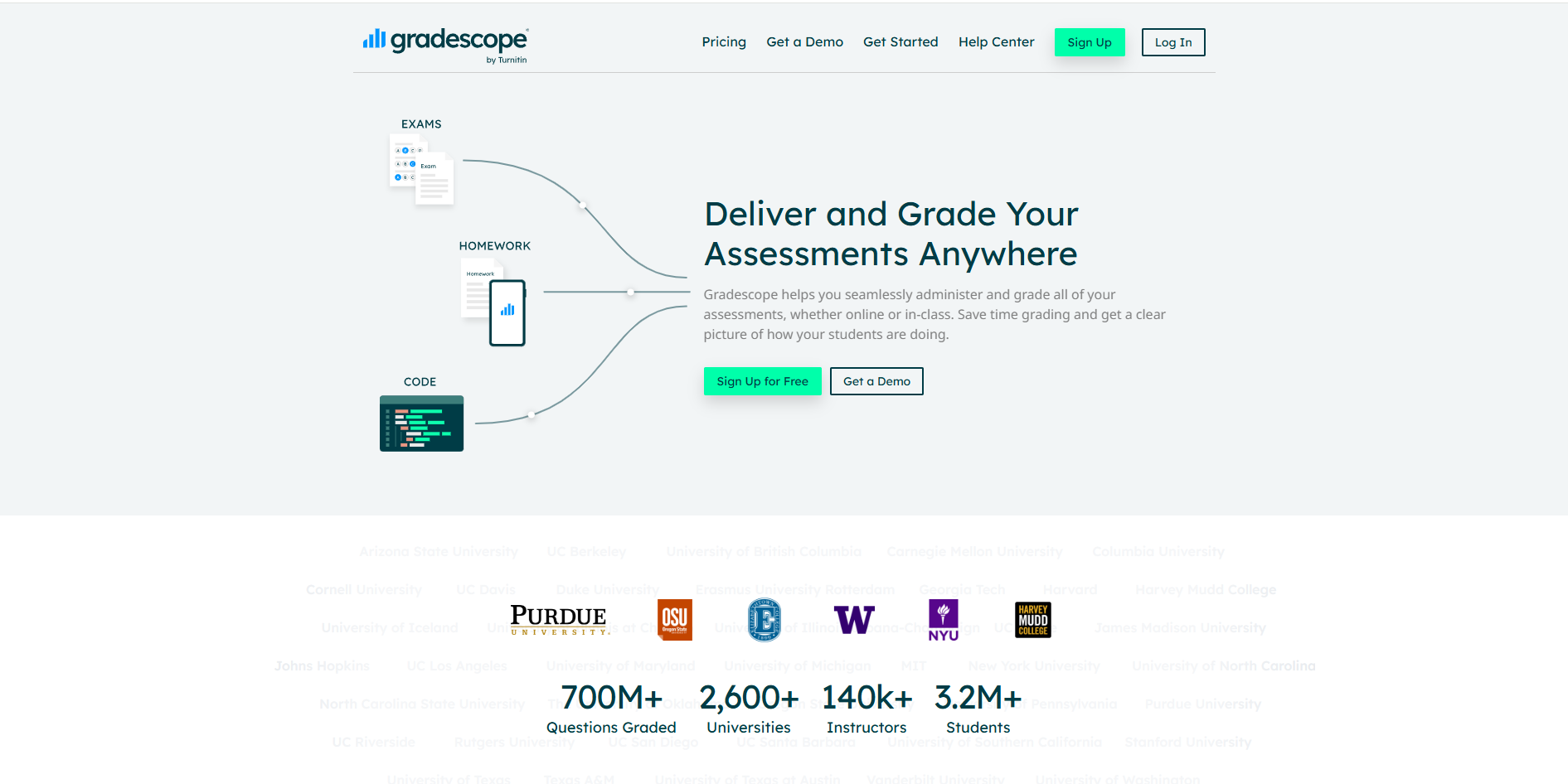
Figure 6. Gradescope tool interface (Source: author, screenshot 2025)
Usage process from a teacher's perspective
The instructor activates Gradescope in Moodle via LTI integration (Learning Tools Interoperability), which automatically connects the course to the corresponding space in Gradescope. This transfers basic course information and a list of students without manual entry.
The teacher then creates a new assignment or exam in Gradescope and uploads the prepared materials, such as a PDF exam, essay, lab report, or program code. A rubric with grading criteria is created within the tool, ensuring a standardised approach and increasing the objectivity of the assessment.
Students access the assignment directly through Moodle without additional login and can submit their work in various formats (text document, image, PDF, code). Gradescope records each submission and the time of submission, allowing for accurate tracking of student activity.
During grading, artificial intelligence automatically recognises similar answers and groups them, enabling the teacher to grade faster and more consistently. The system supports adding comments and qualitative feedback, contributing to transparency and understanding of the grade.
Once all assignments have been graded, the instructor posts the results and comments to students with a single click. Students can review scores and explanations and, if necessary, request a regrading. This approach increases fairness, communication, and trust in the grading process.
Data collection and privacy
Gradescope automatically generates analytical reports on student performance, including scores by criteria and questions, and common errors. Data can be downloaded in CSV or Excel format, and the results are simultaneously synchronised with Moodle Gradebook (the standard grading system for all Moodle courses), ensuring an up-to-date and centralised record of achievement.
All data is stored within the institutional system in accordance with privacy regulations and GDPR, with secure authentication via Single Sign-On access.
Official instructions for using Gradescope within Moodle are available to students, ensuring a clear understanding of the procedure and transparency of the entire grading process.
The advantages of using Gradescope integrated with Moodle include:
-
Automated and objective grading of written and programming assignments
-
Integrated collection and analysis of student performance data
-
Transparent feedback and the possibility of regrading
-
Secure data storage and protection in accordance with GDPR
-
Insight into teaching quality and opportunities for pedagogical reflection.
4. Quizgecko – personalised learning and formative assessment
Quizgecko uses artificial intelligence to generate personalised quizzes and review cards based on existing teaching materials. The instructor first selects the method of content entry: uploading a file (script or presentation), entering or pasting text, adding a link to a website or YouTube video, or manually creating questions (Figure 1).
Next, they adjust the quiz settings: selecting the language (e.g., Croatian), task types (multiple choice, true/false, short answers, completion), difficulty level, and additional requirements related to question style or exam preparation (Figure 2). Based on these parameters, Quizgecko automatically generates questions and corresponding study cards, using the principles of spaced repetition and algorithms for adjusting task difficulty.
Students can access the quizzes via a link without creating an account or logging in with a Google or Microsoft account to track their progress. After completing the quiz, they see their percentage of success, the number of correct and incorrect answers, and options to review results, analyse errors, and retake the quiz (Figure 3). This encourages reflection on their own learning and continuous improvement.
The system uses encryption and security protocols (HTTPS), and data is processed in accordance with GDPR, with the option for anonymous participation. Quizgecko is particularly useful for formative assessment, exam preparation, and the development of self-regulated learning, but it can also serve as a supplementary resource in online courses. Advantages include personalised learning, automatic quiz generation, progress monitoring, secure access and privacy, and the encouragement of metacognitive skills.
Figure 1. Quizgecko tool home menu for selecting the method of inputting teaching materials (file upload, text, link, YouTube, etc.) (Source: screenshot by the author, 2025)
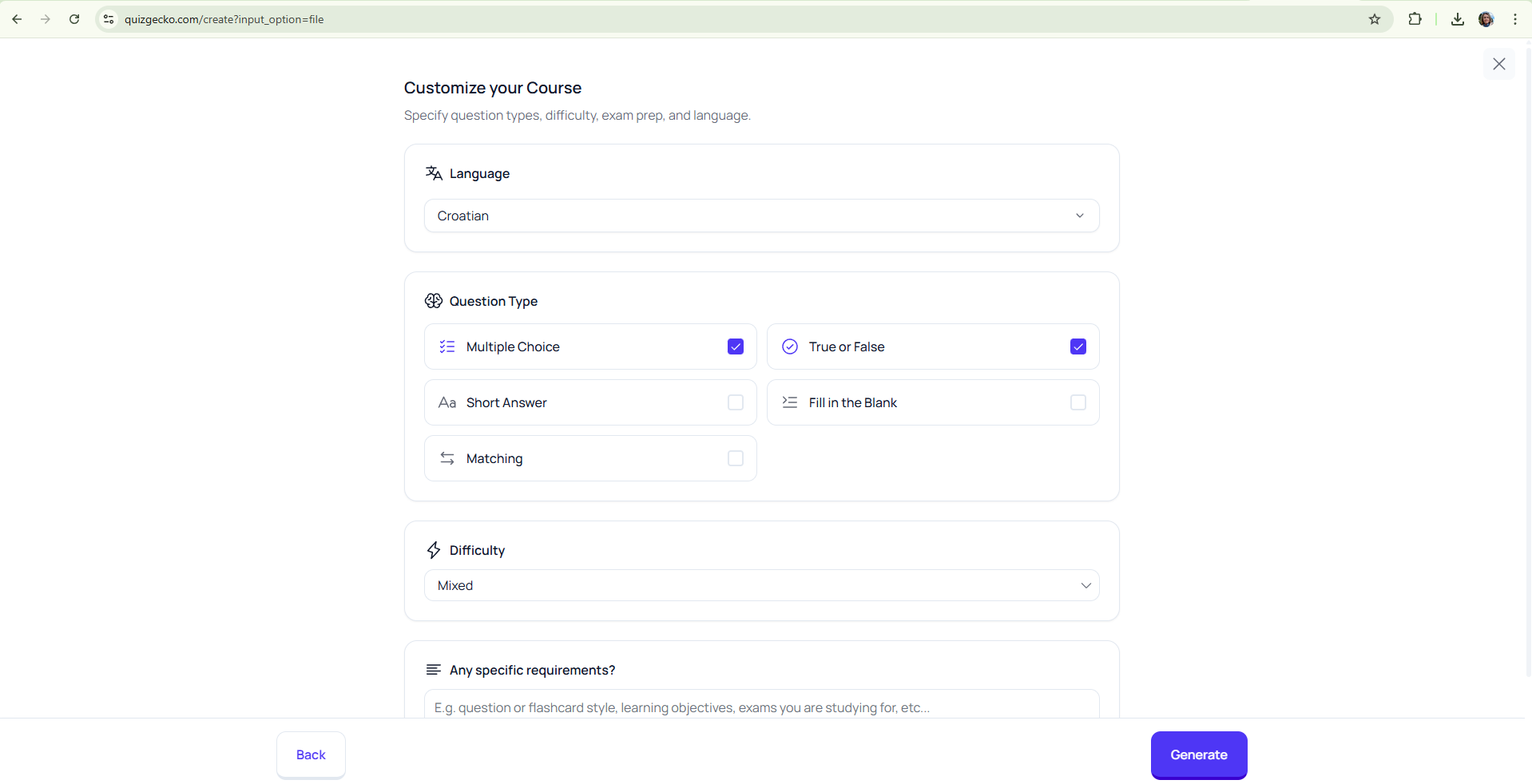
Figure 2. Quiz customisation settings in Quizgecko – selecting language, question types, and difficulty level before generating tasks (Source: screenshot by the author, 2025)
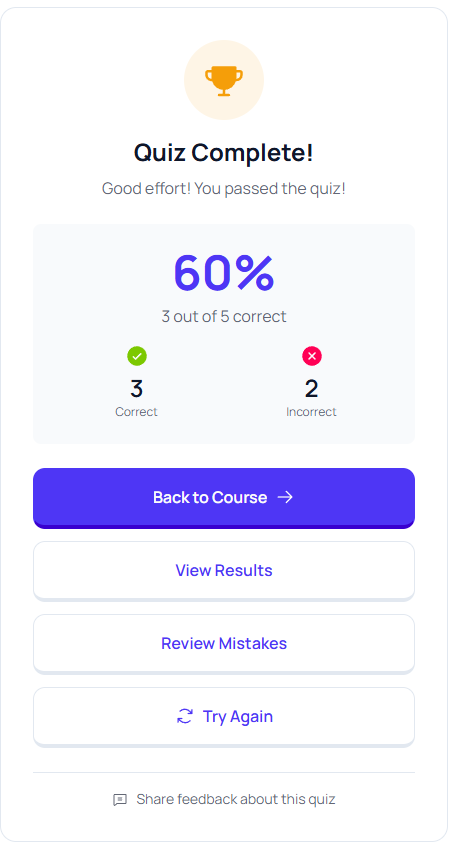
Figure 3. Display of quiz results in the Quizgecko tool with success percentage and options
for reviewing results, analysing errors, and retaking (Source: screenshot by the author, 2025)
Background Colour
Font Face
Font Size
Text Colour
Font Kerning
Image Visibility
Letter Spacing
Line Height
Link Highlight
Paragraph Width
Text Alignment