3. Choosing digital tools for working with learning outcomes
In modern education, it is crucial that digital tools are tailored to work with defined learning outcomes. This means that every tool, activity, and resource must be designed to support the achievement of specific outcomes. In the alignment process, it is important to consider three levels:
- vertical alignment between outcomes at the level of the study programme and the outcomes of an individual course
- horizontal alignment between outcomes, teaching activities, and assessment
- compliance with student workload, i.e., that digital activities match the real time and effort required to achieve the outcome.
Such an approach allows the tools to be not only technical accessories, but designed elements of pedagogy that help the teacher to structure the course in a targeted way, and the student to understand what and how he learns. One of the tools that can help teachers plan their lessons and constructively align them with learning outcomes is Balanced Learning Design Planning (BDP).
Balanced Learning Design Planning (BDP) tool
The BDP tool is available free of charge as an online solution at the link and is an example of an innovative digital tool aimed at aligning with learning outcomes. Its key features are as follows:
- focus on learning outcomes: defining course outcomes with weighted values
- constructive alignment: linking outcomes, activities, and evaluations
- planning student workload: defining the duration of activities and total workload
- learning/design analytics dashboard: visualising the balance between goals, activities, and assessments
- automatic export to Moodle LMS: export of courses in structured Moodle format
- support for different pedagogical approaches: flexible planning for different teaching styles
- design collaboration and sharing: public sharing and teamwork in courses
- UI-assistant (experimental): help in course design using artificial intelligence
- free and accessible version: available to everyone at no charge
- wide international user base: used in more than 40 countries
The BDP tool helps align digital tools with learning outcomes by enabling transparent definition and linking outcomes with activities, visual display of priorities, workloads, and assessments, thereby helping to identify possible imbalances in e-college design. And finally, everything in the lesson plan can be automatically exported to the Moodle LMS as an activity or resource (including a basic set of initial settings), reducing the amount of unnecessary manual copying and time-consuming migration of content between systems.
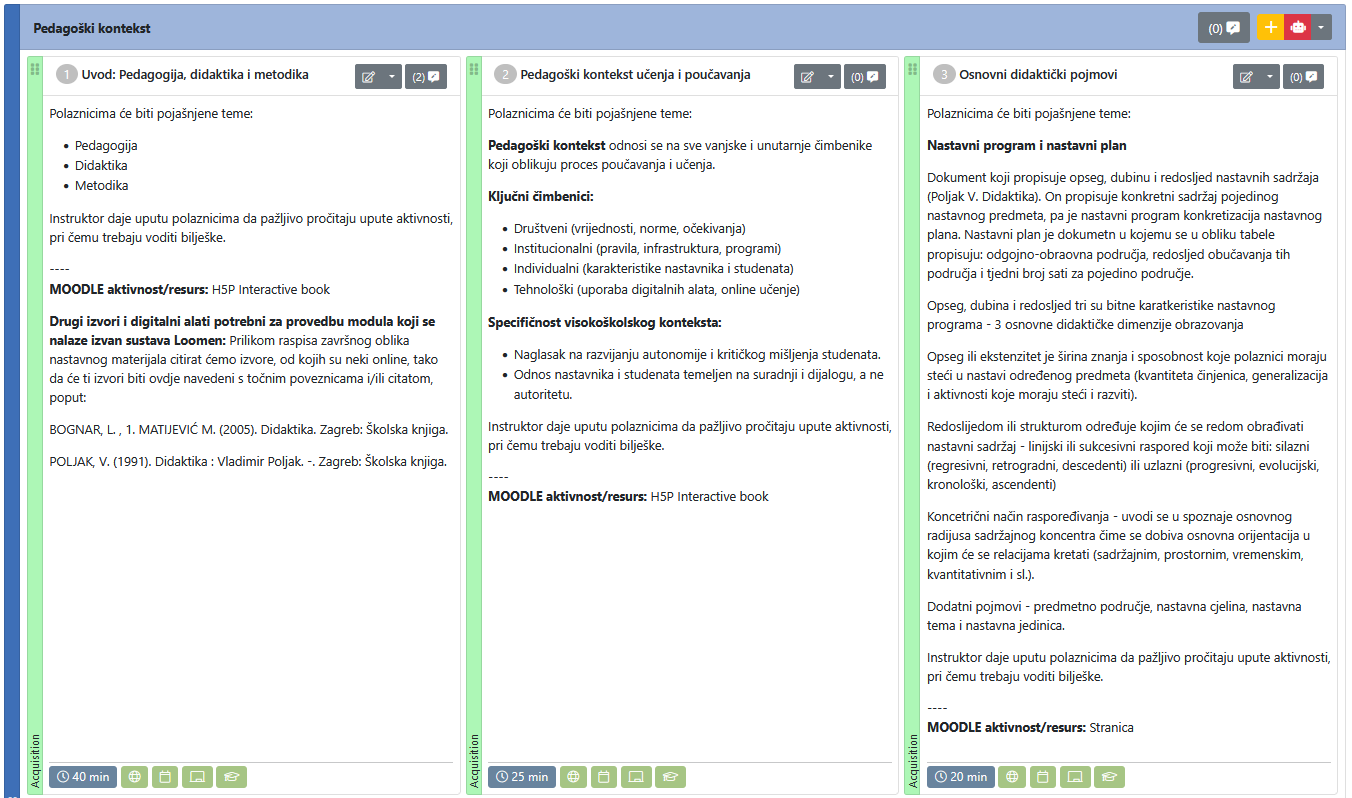
Layout of the BDP tool with a display of individual activities, their content, type of execution, type of MOODLE activity/resource, and the like.
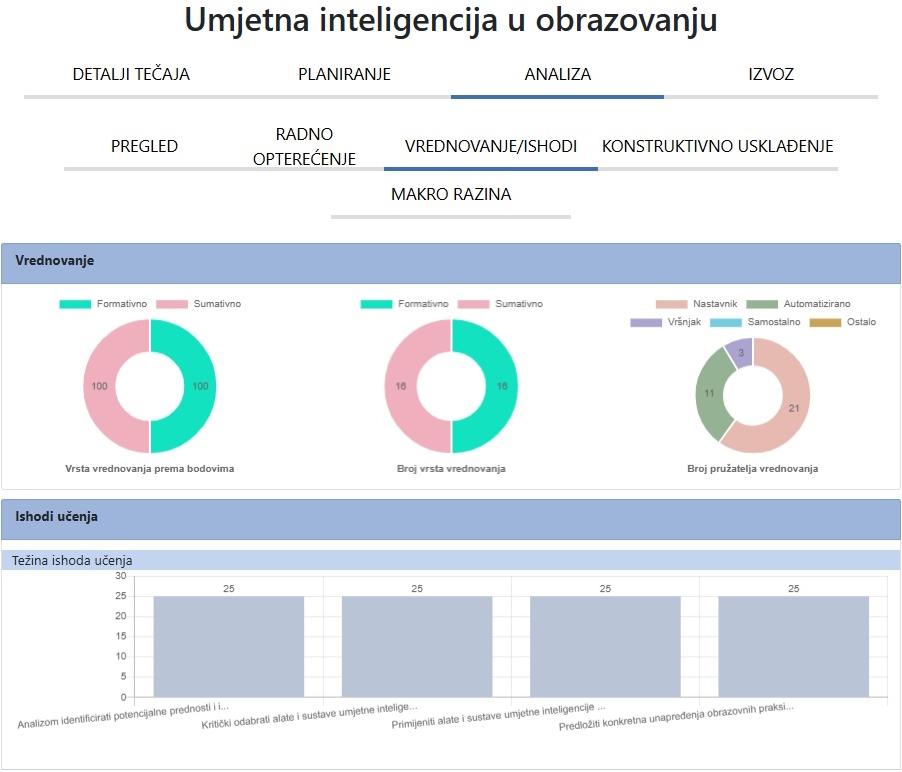
GDP tool layout
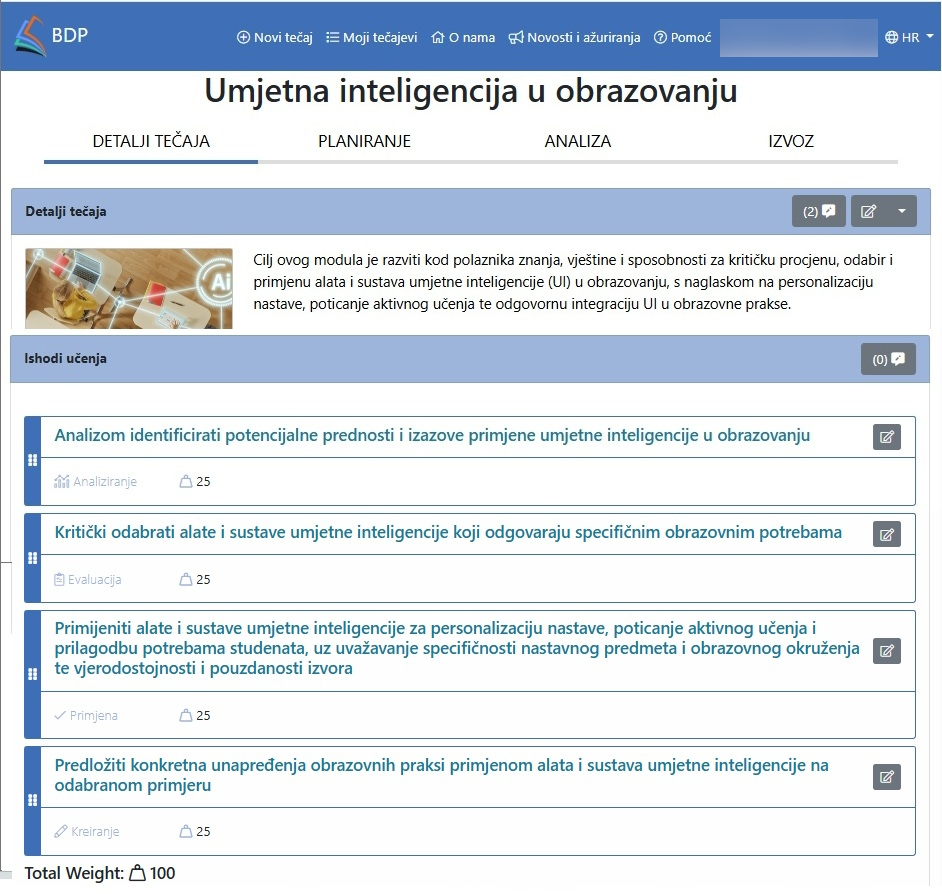
In addition to the GDP tool, you can also try the ABC tool available at the link.
Background Colour
Font Face
Font Size
Text Colour
Font Kerning
Image Visibility
Letter Spacing
Line Height
Link Highlight
Paragraph Width
Text Alignment