3. Higher education teachers
3.3. Examples with suggestions for interpretation
Example 3.
Evaluation of learning materials
If you want to identify learning materials in a course that need improvement, you can use LMS statistics related to the use of online materials (videos, textual materials, applications, etc.), student feedback, and completion rates. Based on activity analysis, you can see whether students work more with short video lectures (5–15 minutes), full lecture recordings (45 minutes), or reading materials. However, this is not the only indicator of the usability or quality of materials. You can additionally ask students, through a short survey, what they prefer, why, and for what purposes. The results can be linked with student clustering and used to analyse which materials are used and with what level of success. Based on this, recommendations can be designed for all students, and instructors can use the feedback to optimise their workload and create more meaningful learning materials. However, it should be kept in mind that not all students have the same needs or learning habits, and that a “one-size-fits-all” approach is not appropriate.
In addition, learning analytics can link the use of learning materials with assessment. For example, students may consistently fail a test because they skip a particular resource (a video, application, exercise, or book chapter). An instructor can respond to this challenge by restricting access to a quiz until the student has viewed the relevant learning resource.
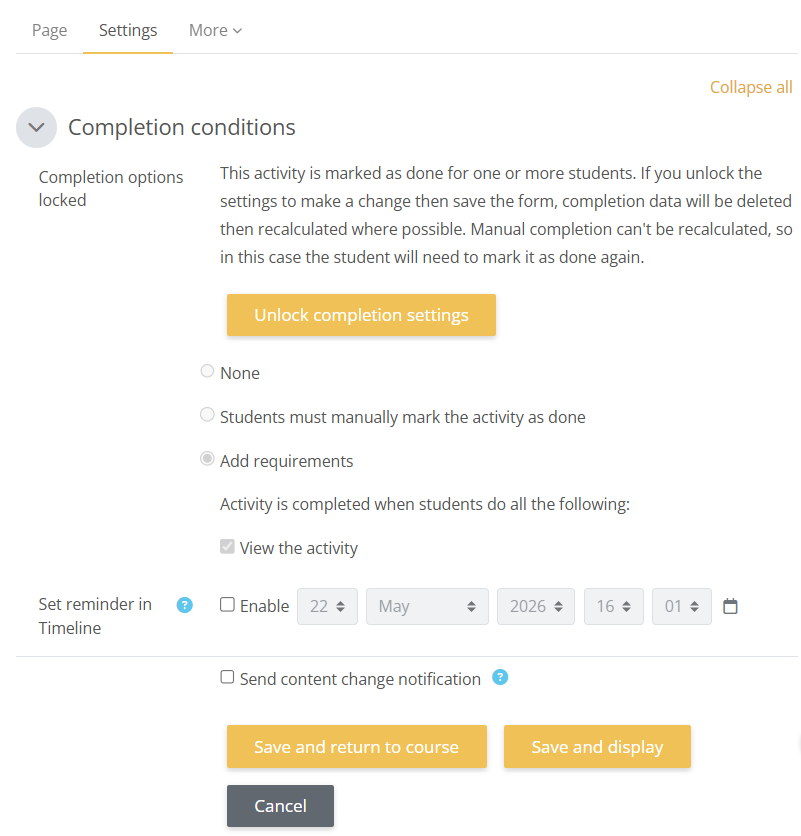
Figure 4: Functions in the Loomen LMS within activity settings: Completion conditions
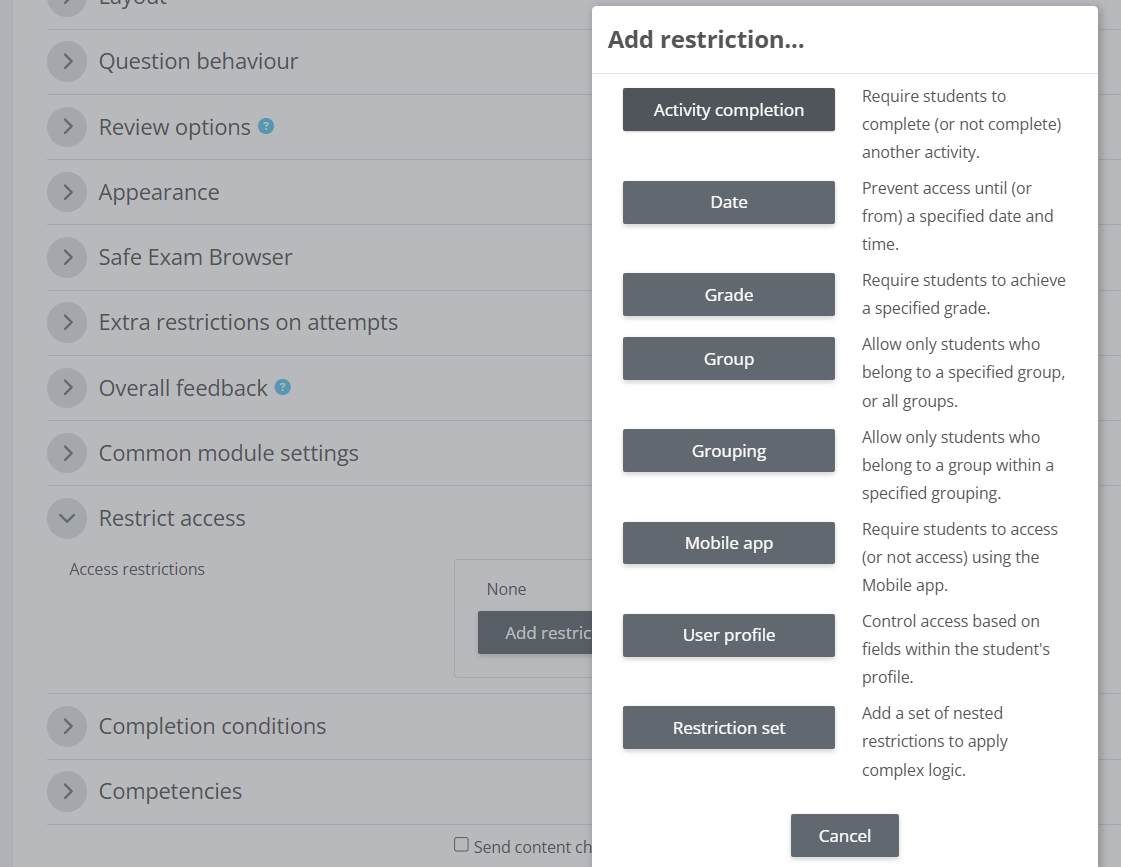
Figure 5: Functions in the Loomen LMS within activity settings: Restrict access
Background Colour
Font Face
Font Size
Text Colour
Font Kerning
Image Visibility
Letter Spacing
Line Height
Link Highlight
Paragraph Width
Text Alignment